In short: Setting up a Google Business Profile takes about ninety minutes. Create it at google.com/business, choose the most specific primary category you honestly qualify for, decide whether you are a storefront or a service-area business, then pass video verification with one continuous daylight take showing the street, your signage and you unlocking the premises. Approval usually takes up to five working days.
Your Google Business Profile is the free listing that decides whether you appear on the map when somebody nearby searches for what you sell. For most local businesses it produces more enquiries than anything else they own, and it costs nothing but attention.
It has also become noticeably harder to get verified than it was two years ago. Google now leans on video verification rather than posting a postcard, and a lot of people fail it on the first attempt for reasons that are entirely avoidable. This guide takes you through the whole thing, and gives the video step the space it deserves.
Set aside about ninety minutes. You can do all of this yourself.
Before you start: gather these five things
You will move much faster if you have these ready. Google’s guidelines for representing your business are the rules verification is checked against.
A Google account you will still control in five years. Use a business email if you have one, and not a personal account belonging to a member of staff who might leave. Changing profile ownership later is possible but tedious.
Your exact business name as it appears on your signage, your invoices and your Companies House record if you are a limited company. These need to match. Do not add your town or your services to the name. “Smith Plumbing Liverpool Emergency 24hr” will get your listing suspended, and it is one of the most common reasons local businesses lose a profile they spent months building.
Your address, and a clear decision about whether customers come to you. This determines everything downstream.
Your opening hours, including any variation you actually keep rather than the ones you wish you kept.
A phone number that a human answers, and your website URL.
Step 1: Decide what kind of business you are
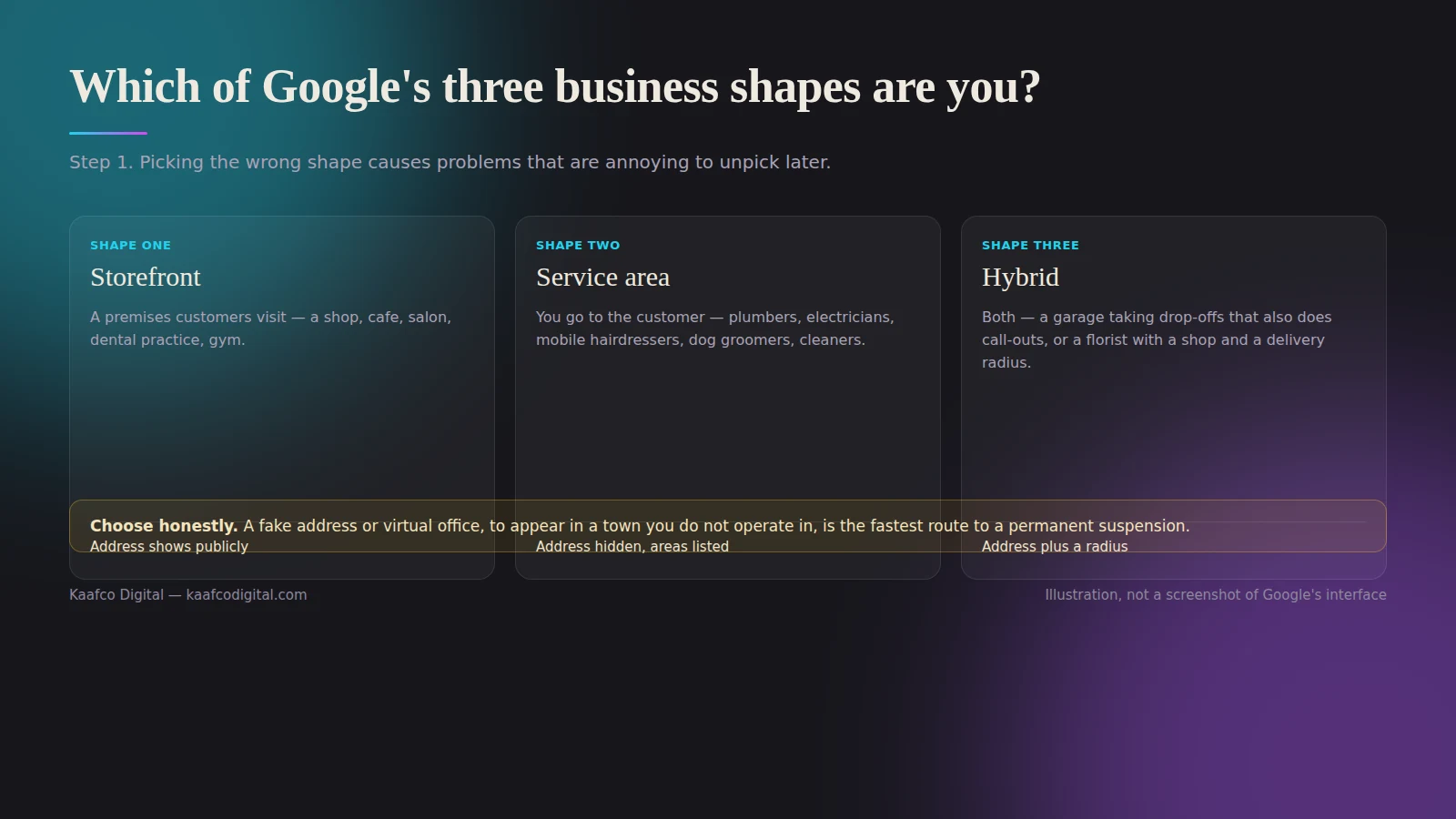
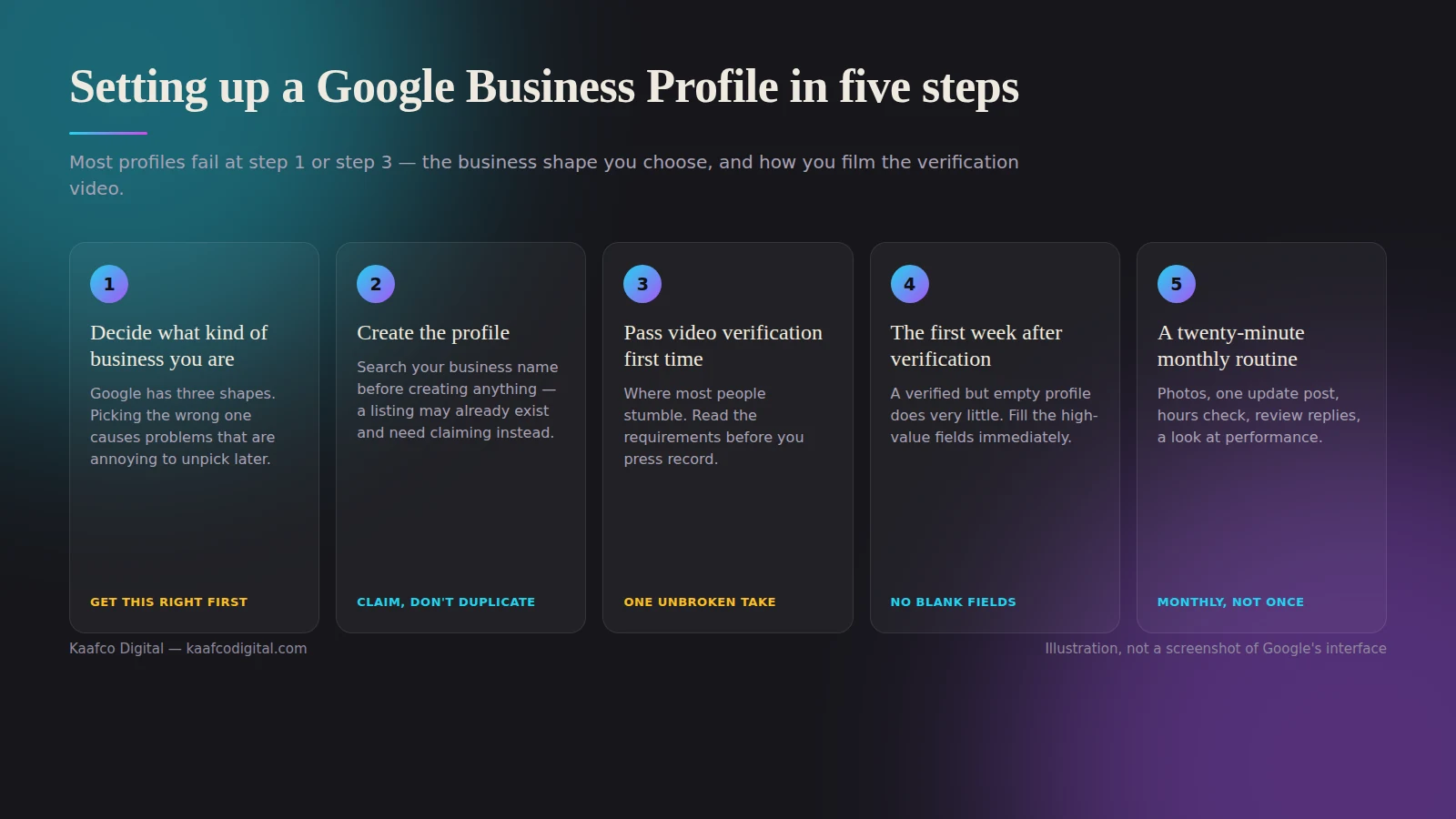
Google has three shapes, and picking the wrong one causes problems that are annoying to unpick later.
A storefront has a premises customers visit, a shop, café, salon, dental practice, gym. Your address shows publicly on Google and you can be found by proximity.
A service-area business goes to the customer, plumbers, electricians, mobile hairdressers, dog groomers, cleaners. You hide your address and instead list the towns or postcodes you cover. If you work from home, this is you, and hiding the address is both allowed and sensible.
A hybrid is both, a garage where customers drop cars off but you also do call-outs, or a florist with a shop and a delivery radius. You show the address and list service areas.
Choose honestly. Listing a fake address or a virtual office to appear in a town you do not operate in is the fastest route to a permanent suspension, and Google has become considerably better at spotting it.
Step 2: Create the profile
Go to google.com/business and sign in. Search for your business name first. A listing may already exist, created automatically from other data or by a previous owner, and claiming an existing one is easier than creating a duplicate. Duplicates get merged or suppressed, so never deliberately create a second listing for the same location.
If nothing exists, add your business and work through the prompts.
Choosing your primary category
This is the single most consequential field in the whole setup, and most people rush it.
Your primary category is the strongest relevance signal Google has for deciding which searches you appear in. Pick the most specific option that genuinely describes your main activity. “Barbershop” beats “Hair Salon” if you are a barber. “Italian Restaurant” beats “Restaurant”. “Emergency Plumbing Service” beats “Plumber” if that is genuinely your core work.
Test it before you commit: search for the thing you most want to be found for, look at the businesses ranking in the map results, and check what category they use. Most will show it on their profile. If the top three all use a category you had not considered, that is your answer.
Then add up to nine secondary categories for your other genuine services. These help, but far less than the primary, so do not dilute your primary choice by picking something broad in the hope of covering everything.
The rest of the fields
Fill in every single one. An incomplete profile ranks worse than a complete one, and several fields are quietly powerful.
Write a description of up to 750 characters that reads like a person wrote it. What you do, who for, which areas you cover, what makes you different. Mention your town naturally once or twice. Do not list keywords.
Add your services or products individually, each with its own short description. This is one of the most under-used parts of the profile and it feeds what Google can match you against.
Set attributes accurately. Wheelchair accessible, free parking, women-led, appointment required, outdoor seating. People filter by these, and some of them are genuine differentiators.
Add your opening date if you have been going a while. Longevity is reassuring.
Step 3: Pass video verification first time
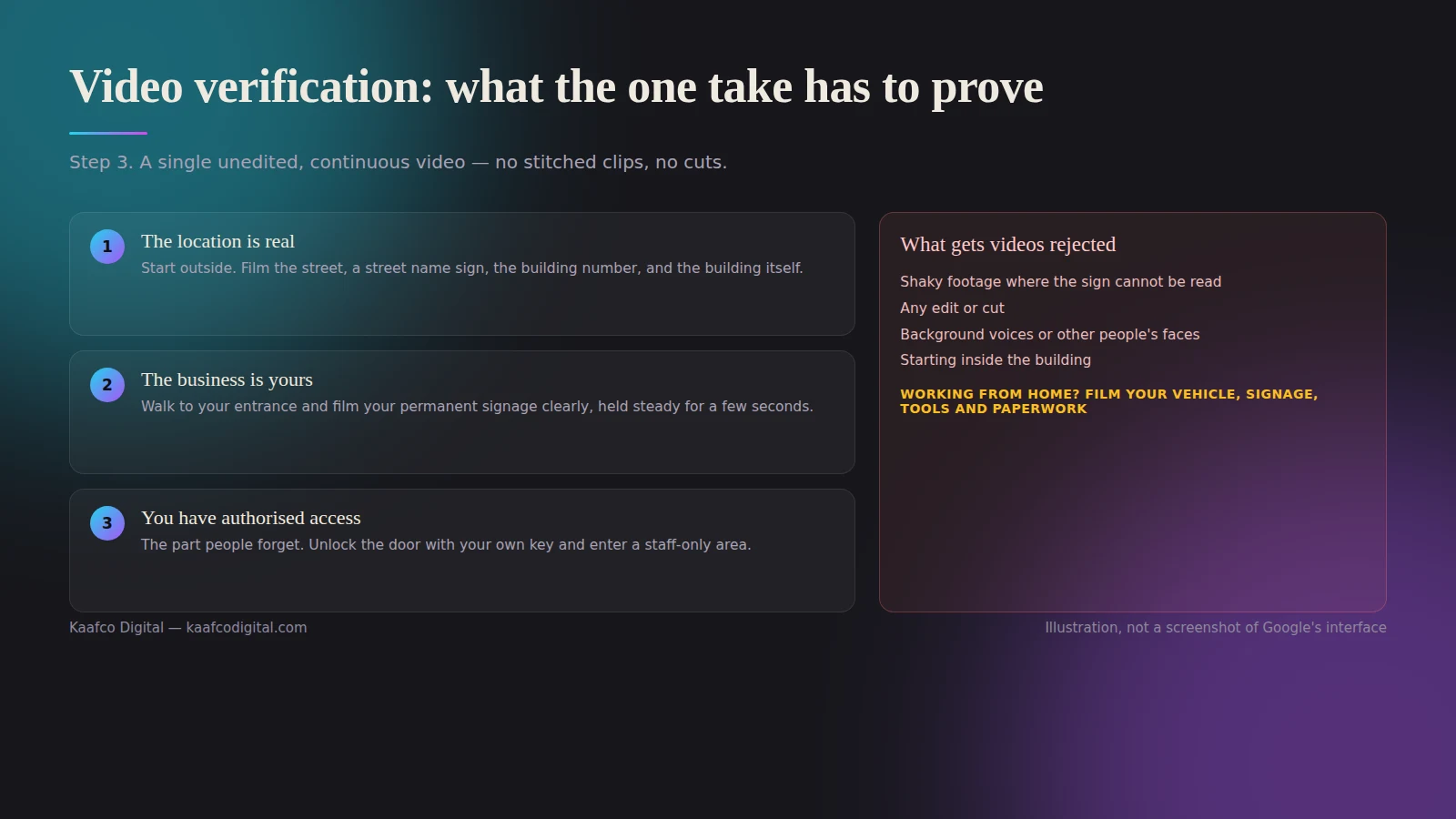
This is where most people stumble, so read this section before you press record.
Google now commonly asks for a single unedited, continuous video rather than posting a code. You cannot stitch clips together, you cannot pause, and you cannot upload something you filmed last month for a different purpose. Expect to record between thirty seconds and three minutes.
The video needs to prove three separate things, in one take.
That the location is real and is where you say it is. Start outside. Film the street, a street name sign, the building number, and the businesses either side of you. Give the reviewer enough context to place you on a map.
That the business is yours and the name matches. Walk to your entrance and film your permanent signage clearly, held steady for a few seconds. The name on the sign must match the name on your profile. If your sign says “Smith & Sons” and your profile says “Smith and Sons Plumbing”, fix the profile before you film.
That you have authorised access. This is the part people forget. Show yourself unlocking the door with your own key, entering a staff-only area, opening the till, accessing your tools or equipment, or logging into your booking system. Anyone can film a shopfront from the pavement; only the owner can unlock it.
If you are a service-area business working from home, film your vehicle with signage, your branded equipment, your tools, and business paperwork showing your name and address, an invoice, a headed letter, insurance documents. You do not need to show your house exterior.
Things that get videos rejected: shaky footage where the sign cannot be read, any edit or cut, background voices or other people’s faces, visible customer information or personal data, filming in the dark, and a signage-to-profile name mismatch. Film in daylight, hold the phone with both hands, move slowly, and stay quiet.
Approval usually takes a few days, and up to five working days is normal. If you are rejected, you can try again, read the stated reason carefully rather than re-filming the same video slightly better.
Step 4: The first week after verification
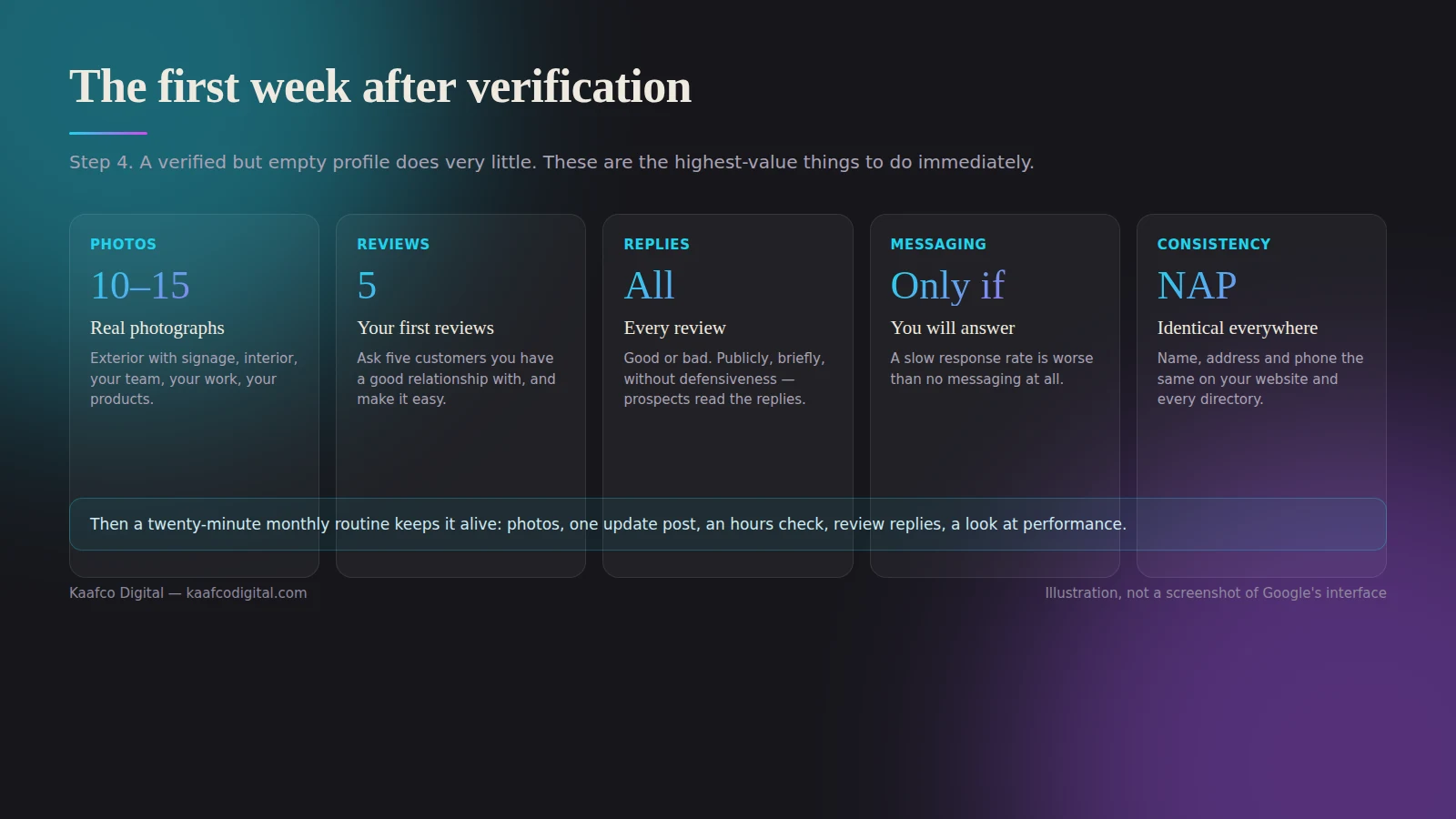
A verified but empty profile does very little. These are the highest-value things to do immediately.
Add ten to fifteen photographs. Exterior with signage, interior, your team, your work, your products. Real photographs taken on a modern phone beat stock images every time, and customers can tell the difference instantly. Google notices when new photos appear, and so do people.
Get your first five reviews. Ask five customers you have a good relationship with, in person or by message, and make it easy. Google gives you a short review link in your profile dashboard that you can turn into a QR code. Never offer anything in exchange for a review; it breaches Google’s policies and can cost you the listing.
Reply to every review, good or bad. Publicly, briefly, and without defensiveness. Prospective customers read the replies more carefully than the reviews, because the replies tell them what you are like when something goes wrong.
Turn on messaging only if you will answer it. A slow response rate is worse than no messaging at all. If you would rather people used WhatsApp, we covered that in WhatsApp and SMS marketing for local businesses.
Check your information matches everywhere else. Your name, address and phone number should be identical on your website, your Facebook page, your Instagram bio and any directory you appear in. Inconsistency splits the signals Google uses to identify you as one business, and it also affects whether AI tools recommend you, see GEO for local businesses.
Step 5: A twenty-minute monthly routine
This is all the ongoing work the profile needs.
Once a month: add three or four new photos, publish one update or offer post, check your opening hours against anything unusual coming up, reply to any reviews you have missed, read the performance figures to see which searches brought you in, and add any new service you have started offering.
Twice a year: reconsider your primary category, refresh your description, and check nobody has suggested an edit to your profile that Google has quietly accepted.
Set a recurring reminder. The businesses that outrank you are usually not doing anything clever. They are just doing this every month while their competitors do it twice a year.
Getting found in your specific area
Once your profile is solid, the next lever is having website content that matches how people in your area actually search, which is usually by neighbourhood rather than by city. Our local keyword research framework covers how to find those terms, and our fuller guide to why your profile is the fastest local SEO win sits alongside this one.
If you would rather not do any of it yourself, our SEO page covers where profile management sits in a wider local SEO plan.
Frequently asked questions
Do I need a physical address to have a Google Business Profile? No. Service-area businesses hide their address entirely and list the areas they cover instead. You do need a real address to verify with, even if it is never shown publicly.
Can I add my town to my business name to rank better? No, and doing it risks suspension. Your name field must be your actual business name. The place to signal location is your address, service areas, description and website.
How long does verification take in 2026? Video verification is typically reviewed within a few working days, and up to five is normal. Some profiles are verified instantly if Google already holds strong data about the business.
What if my verification is rejected twice? Read the reason, fix the specific issue, and try a different method if one is offered. Persistent failures usually trace back to a name or address mismatch somewhere in Google’s records rather than to the video itself.
Should I pay someone to set this up? Not for the setup. It is genuinely a job you can do yourself in an afternoon, and you will understand your own profile better for having done it. Paying for help makes more sense if your listing has been suspended, if you have duplicate listings to merge, or if you are managing profiles across several locations.
What if my profile gets suspended later? Most suspensions trace back to keywords added to the business name, or an address Google cannot verify. Fix the underlying cause first, then submit one reinstatement request with documents that show your business name and address matching exactly. Do not submit several appeals at once; it slows the process down rather than speeding it up.
Does posting weekly updates actually help? Modestly, and mostly by keeping the profile visibly active and giving people something current to read. It is not a substitute for reviews, categories and photos, which matter considerably more.
The bottom line
Setting up a Google Business Profile properly takes one focused afternoon, and keeping it working takes twenty minutes a month. Choose your primary category carefully, be honest about whether customers come to you, film the verification video in one steady daylight take showing the street, your sign and your key, then feed the profile photos and reviews on a schedule.
If your profile is suspended, duplicated, or simply not appearing where you think it should, get in touch, or take the free marketing audit and we will tell you plainly what is holding it back.